Every underlined part jumps to its chapterTap an underlined part to jump to its chapterJumps to ↓
Read time · 5 min
01The brief
Floaa · BRD v1
The brief handed back the hard part.
You pick a category and answer a few questions. Floaa works out the hours and suggests where they could go. Then you open your calendar and block it yourself, every week, by hand.
Who books it?
You.Floaa.
Floaa suggests the slots. You open your calendar and block them, every week, by hand.
No asking. It finds the time and books it. You only step in if you want it somewhere else.
01 AI Chat · Booked02 Schedule · Monday
02The argument
Floaa · Internal
The argument happened in our own room.
The proposal went in internally, before the client ever saw it. PM and dev pushed back on whether it could be built. I held on what it was worth. The team went and researched it, and the client took it as the direction.
01ProposedLet Floaa book the time itself, through the conversation.
02Pushed backCan we actually build that?
03ResearchedThe team went and checked whether it held up.
04The directionThe client took it, and it became the product.
The line goes dashed while it is in doubt, and solid again once it holdsDashed while it is in doubt, solid once it holds
03The boundary
Floaa · Product
Its time moves. Yours never does.
Floaa books habit time into your day on its own. Everything you put there is fenced off: it routes around it and never moves it. Inside the open space it moves its own sessions freely, and when you change one of them, it takes the change.
Floaa’sYours
Yours.
Stays exactly where you put it.
Floaa’s.
Booked on its own. Moves to fit around you.
Try moving the words
Same rule, every view
Week, day and month all tell the same story.
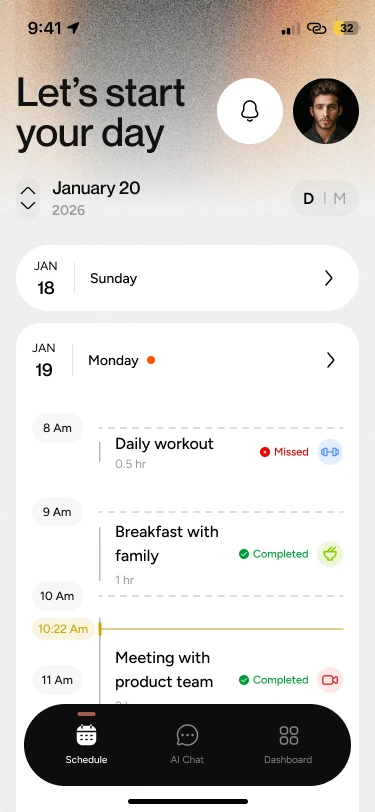
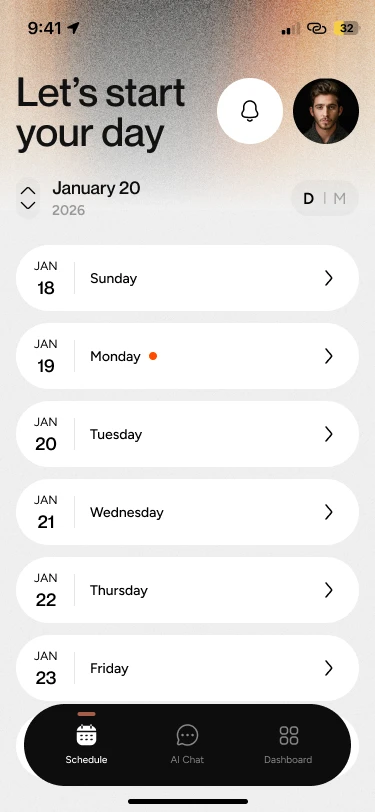
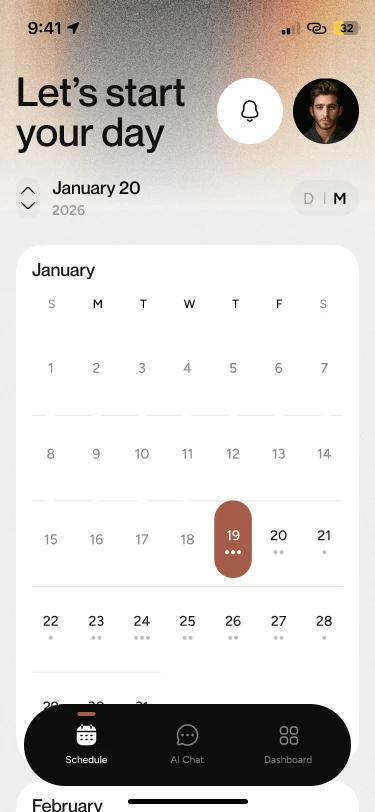
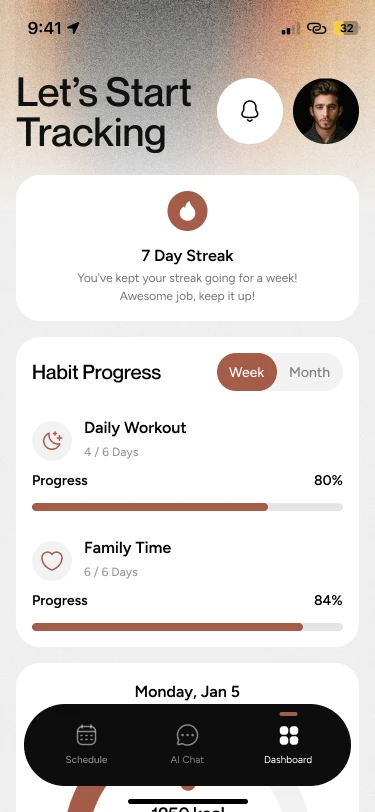
The week marks the days with activity. The month shows how full each day is. Open a day and the timeline holds your plans and Floaa’s sessions together.
Schedule · WeekSchedule · Month
04No blank box
Floaa · Product
There’s no box to freeze at.
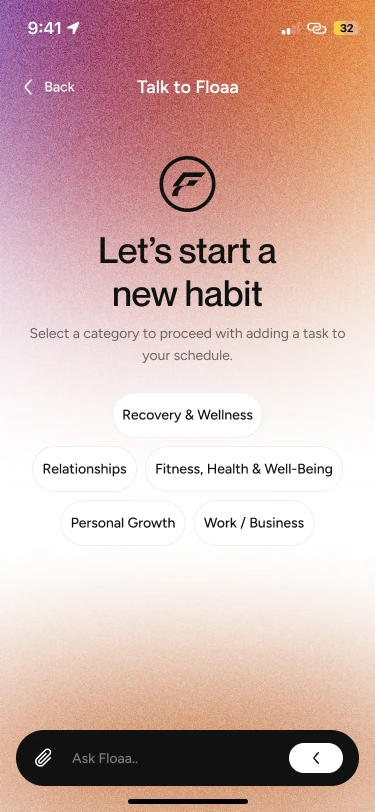
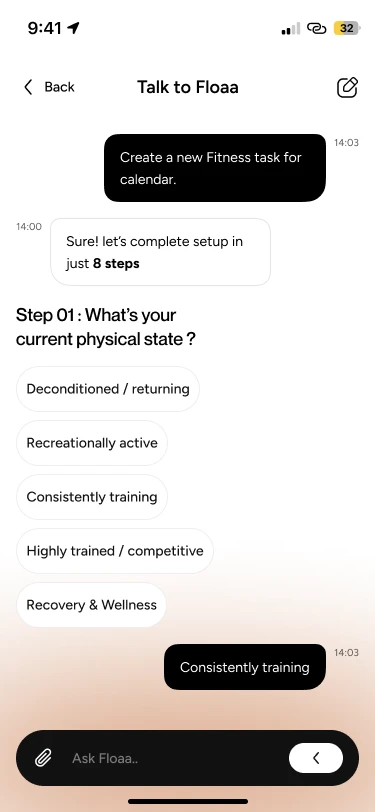
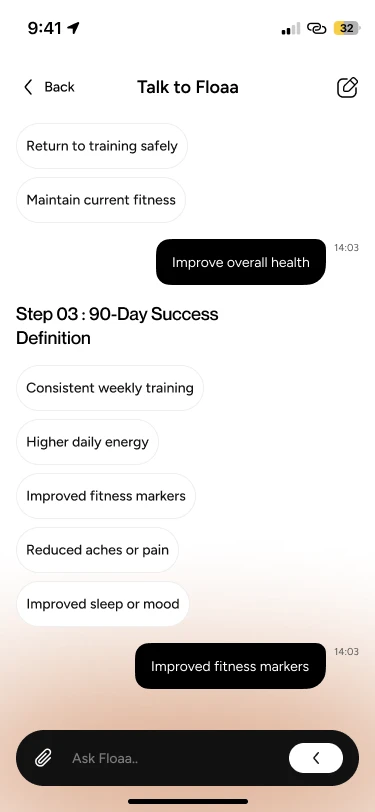
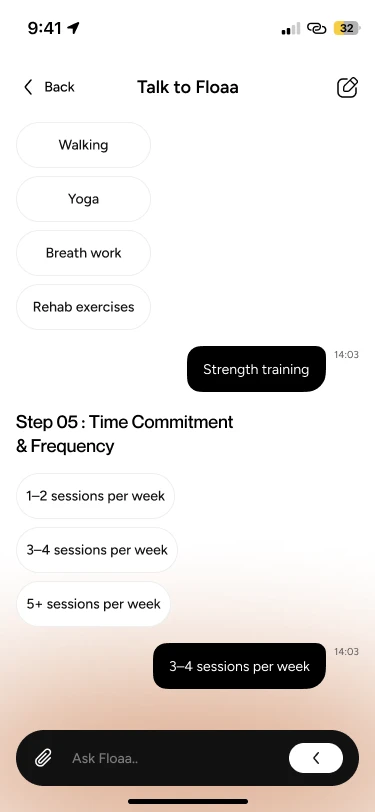
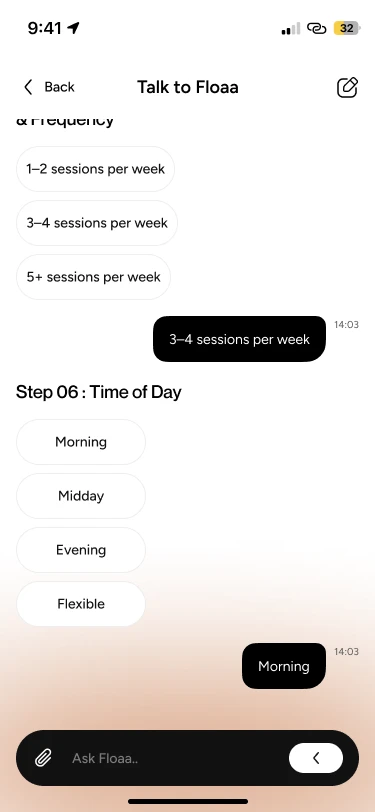
Floaa never asks you to type a goal. You pick a category and answer a few short steps by tapping, with Skip on every one. It reads like a conversation and works like a form you can’t get wrong.
01Pick a categoryTapped: Fitness, Health & Well-being
02Step 01 · Physical stateTapped: Consistently training
04Step 05 · How oftenTapped: 3–4 sessions per week
05Step 06 · Time of dayTapped: Morning
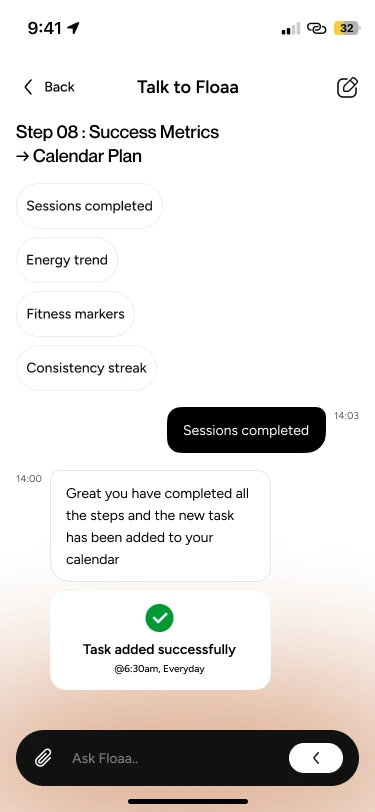
06Step 08 · BookedTapped: Sessions completed. Booked for 6:30am, every day.
Drag · six of the eight stepsSwipe · six of the eight stepsSkip on every step
05What we held back
Floaa · Product
Designed, then parked.
Connecting Google and Apple Calendar was part of the design. Before I left the project, the team put it on hold over feasibility. It sits here because it was designed, not because it shipped.
Settings · Calendars
Bring in your calendars
Google Calendar
Apple Calendar
On hold · feasibility
Designed in the flow. Put on hold before it was built.
06What I’d fix next
Floaa · Next
Two things I’d change.
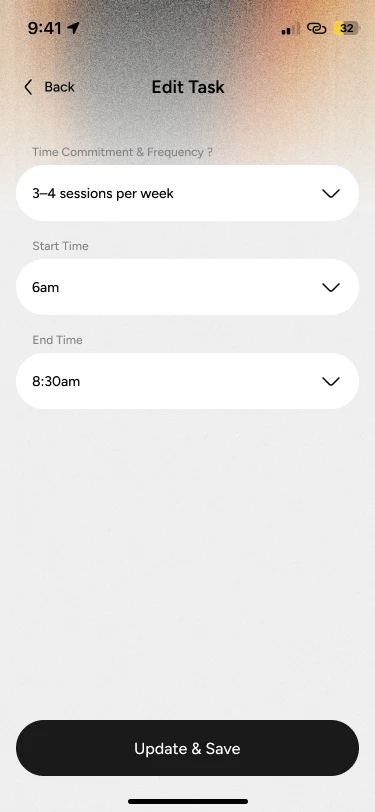
More of the setup should live in the conversation, with only sign in, permissions and calendar connect left as native screens. And Floaa should say why it picked a slot. Right now the only answer is to change it yourself.
Already in the app
The orange card is the fix. Today you can only change the time. Next, Floaa tells you why it chose it.
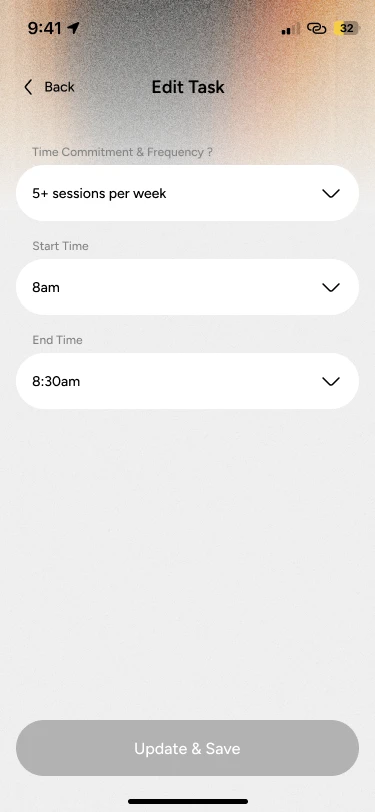
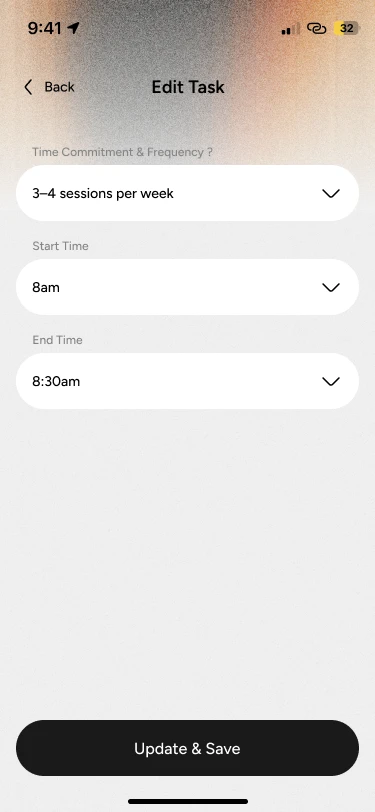
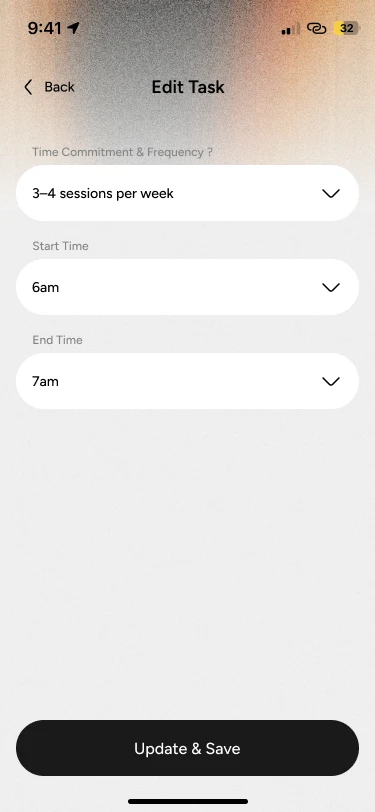
5+ sessions · 8am3–4 sessionsStarts 6amEnds 7am
Today, by hand
4
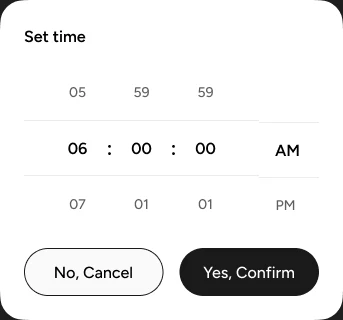
screens to move one session.
Sessions per week, start time, end time, save. The “Why 6:00” card would come before all of it.
Setup, still native.
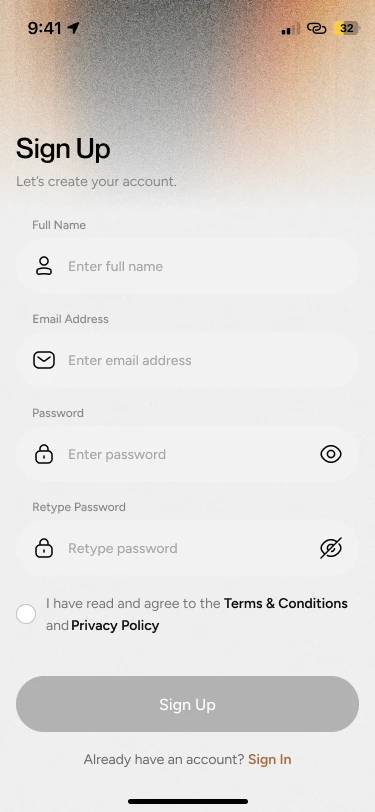
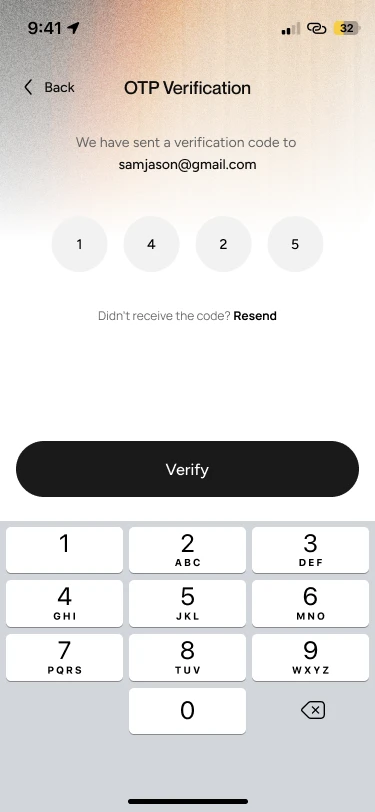
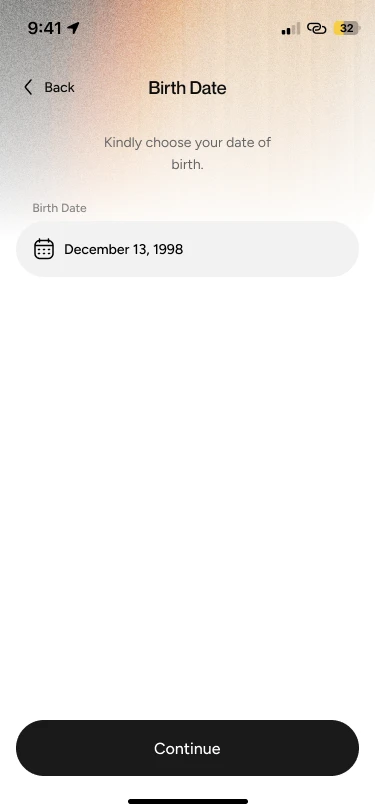
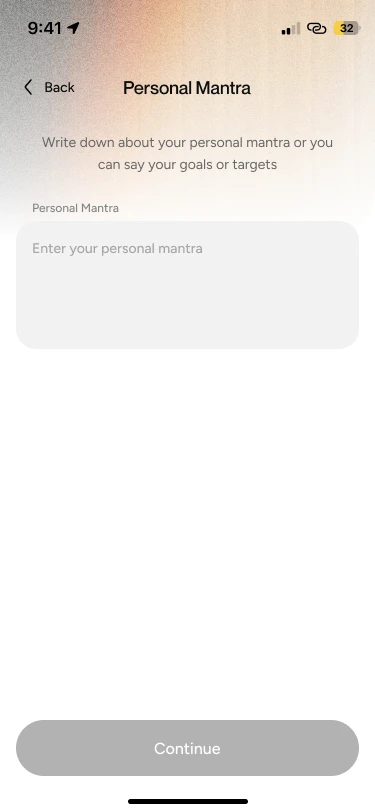
Four steps down to one empty box
01 Sign Up
02 Verify
03 Birth date
04 Personal mantra
Swipe · four setup screens
The one blank box left.
The rest of the product asks by tapping. This step still asks you to type your goals. The second fix moves it into the chat.